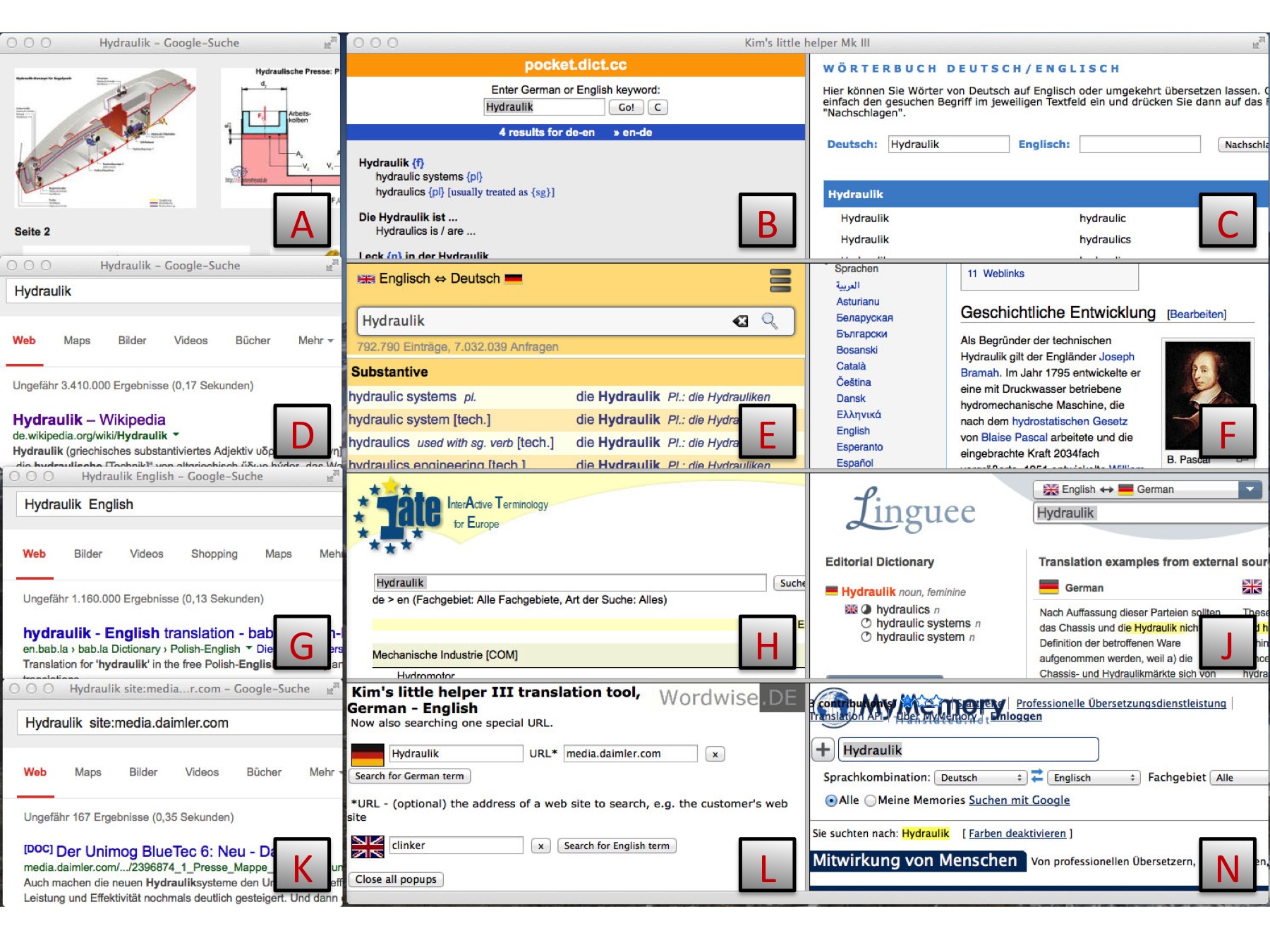
L This is the main window, the input window. It has three input boxes: one for a German
word, one for an English word and one for the URL (address) of your customer's web site.
B, E, C, N &
E These are German - English dictionaries. You may have to scroll within each window to see all of the matches.
A This shows the
result of a search for pictures of your word.
D This shows the
result of a simple search for your word. The number
of results is interesting here. If nothing is found, the word
may be misspelled, or it may be an unusual compound noun which
needs breaking up into its parts to be understood.
K This shows the
result of a searching the customer's web site for your word. This may offer more context for you to help to understand the word as the customer uses it.
F This shows the
German Wikipedia encyclopaedia entry for your word.
If there is an entry, Wikipedia can supply a wealth of information
about the term. Do consider making an entry yourself once you
have solved particularly tricky puzzles. It's very easy to do.
G This shows the
result of a searching for your word and "english"
together. This may pick up specialist dictionaries in the form
of word lists, or websites where a translation is on offer.
H This shows the
result of a searching the European Community's terminology database.
J This shows the
result of a searching Linguee. Linguee shows you sentences rather than words, so gives you another perspective.
Having researched the German word, you may want to check a possible
English translation. When you enter your chosen English word,
the windows will be used differently, but you will still be offered pictures, Wikipedia articles and so on.
 home
home
 is to quickly get as much information as possible about
a word, to be able to translate it properly.
is to quickly get as much information as possible about
a word, to be able to translate it properly.